Twisted Tower Official Links Hub
Steam, publisher pages, Discord, and wiki hubs in one place.
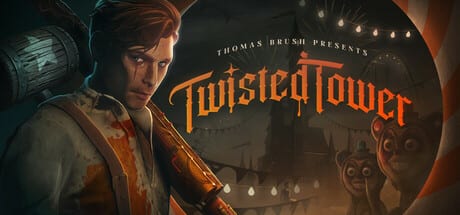
This Links Hub gathers official Twisted Tower destinations so you never hunt search results for the wrong Steam app or a lookalike Roblox experience. The wiki itself is unofficial. Prefer primary sources for purchase, patches, and bug reports.
Twisted Tower by Atmos Games, published by 3D Realms, released on Steam PC on August 18, 2026. App ID 1575990. Single-player only. English is the listed Steam language. There are no Roblox codes or script pages here on purpose.
Official destinations
- Twisted Tower on Steam — buy, patches, reviews, and the introductory discount window through September 1 where it still applies
- Twisted Tower on 3D Realms — publisher feature overview
- Official Twisted Tower Discord — the inbox Thomas Brush named in day-one Steam news for bugs
- Twisted Tower demo on itch.io — leftover preview host from Atmos; optional if you still want the early-floor slice
What to do with these links
Buy or install from Steam, verify files after a patch, then confirm specs on System Requirements, binds on Controls, and comfort options on Settings. Learn the climb through Getting Started and the Walkthrough. Read Patch Notes before you assume a strategy failed on an old build.
Wiki map
- Guides Hub for how-to articles, including Collectibles and Achievements
- Story Overview for spoiler-light narrative framing
- Tier List Hub for rankings
- Tools Hub for requirements, controls, and settings
- Updates Hub for Patch Notes, Release Date, Launch Checklist, and the leftover Demo notes
How to avoid fake lookalikes
Search results sometimes confuse Twisted Tower with unrelated Roblox experiences also named Twisted. Confirm Steam app ID 1575990, Atmos Games, and 3D Realms before you pay or download. This wiki omits Roblox code pages for that reason.
Publisher and developer literacy
3D Realms hosts trailers and publishing context. Atmos Games / Thomas Brush own the creative direction rooted in earlier narrative games like Pinstripe and Neversong. Knowing both names helps you follow interviews and patch posts without mixing them up. Day-one news asked for Steam reviews and pointed bugs at Discord, not at this wiki.
Using links with the rest of the wiki
Official pages tell you what exists. This wiki tells you how to play it well. After you click Steam, return to Getting Started, the Walkthrough, and Patch Notes so the click becomes a plan. Combat depth continues in Combat Tips, Weapons and Upgrades, Enemies and Mascots, and Levels Overview.
Citation habit for contributors
When you suggest a wiki correction, include the Steam app URL or a dated publisher post. That habit keeps coverage aligned with Atmos Games and 3D Realms rather than with similarly titled games in search results. Remind readers the wiki is unofficial so nobody treats a strategy note as a patch contract.
Frequently Asked Questions
Quick answers to the most common questions.
Is this wiki official?
No. It is a fan resource. Use Steam, 3D Realms, and the official Discord for purchase and bug reports.
Which download should I use?
Steam is the retail path. The itch.io demo is only leftover preview practice.
Where should I report bugs?
The official Discord linked from day-one Steam news. See Patch Notes for the current build.